One agent to direct. More done each day.
Zero Agent is your AI VP of Engineering, and it runs on Claude, Codex or Gemini with your own account: use the one you already have. Describe the work once; it writes the tickets, spawns workers, picks the model that earns its price, and tells you when it's done. You review the result, not the process.
macOS 14 or later, Apple Silicon or Intel. Zero Agent needs Claude Code, Codex or Gemini set up; any one of them will do.
Mac, Linux and Windows beta.
One workbench per stream of work
A workbench is a tab at the top of the window. It holds one conversation with Zero Agent and everything that conversation deploys: workers, tasks, watches, tracked jobs, reports and pages. Open a new tab for each stream of work, an epic, a client, a side project, and its Zero Agent only ever knows that one stream. Nothing from one project bleeds into another, and switching tabs switches the whole context with it. Every workbench draws from the same worker roster.
Closing a tab archives it rather than deleting it, and only once nothing in it is still running. Its tasks, reports and pages stay on disk, and Control can reopen it when you ask. A paired phone lists every open workbench as a card, so you can switch between them there too.
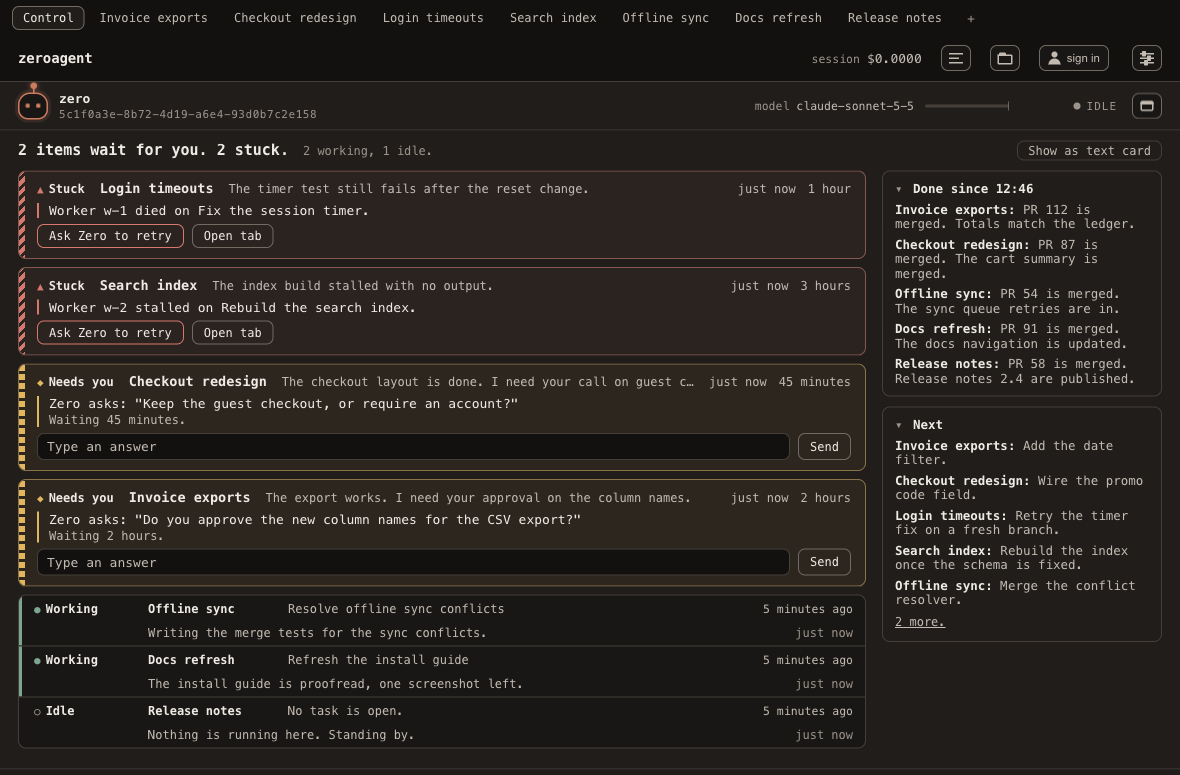
Control: one tab that sees every workbench
The first tab is Control. Its Zero Agent sees every workbench at once, so you can ask "status" and get one card for the whole workspace: what waits for you, what finished, what comes next. Above the conversation, a triage overview sorts every workbench into needs you, stuck, working or idle, and lets you answer a question or ask Zero Agent to retry without leaving the tab.
Control opens, creates and retires workbenches for you. It holds no work of its own: ask for code and it routes the work to a workbench of its own instead of doing it in place, so each stream keeps its own context.
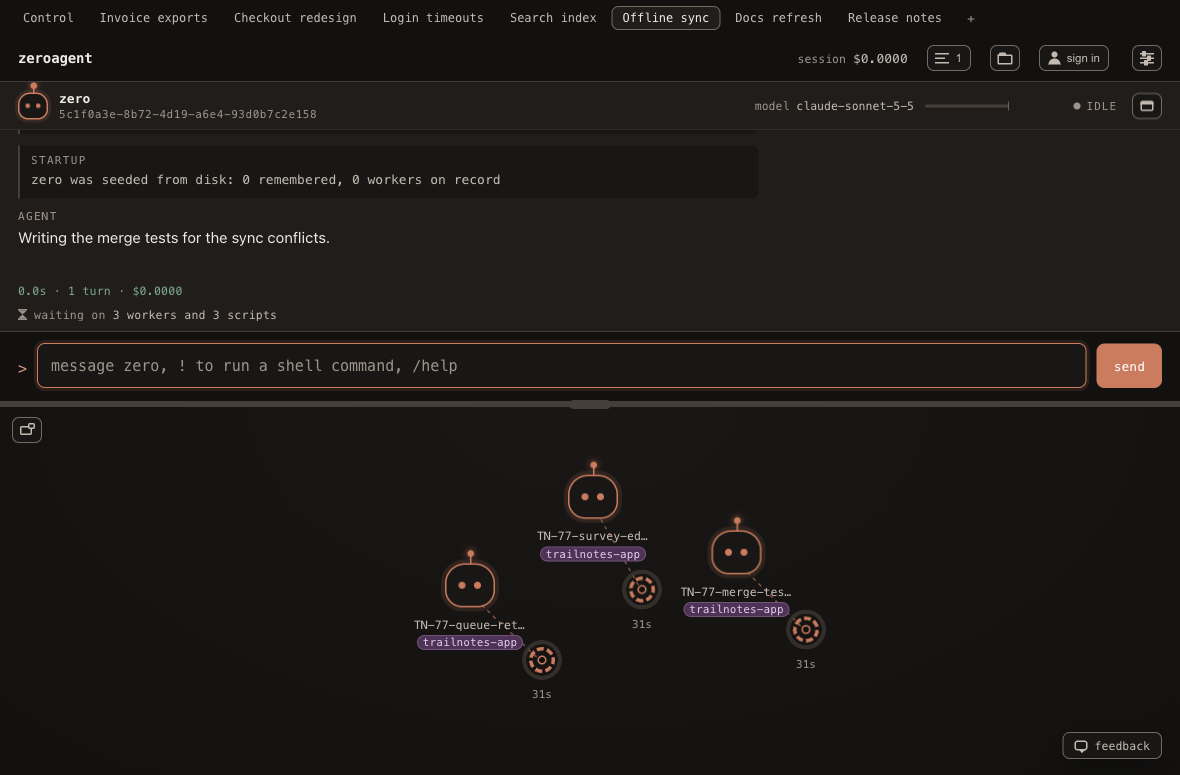
See your workers at a glance
Workers are not rows in a table. They are creatures on a 2D canvas: colour and motion tell you what's happening without reading anything, so you can watch several agents at once without losing track of any of them, and a click opens the transcript.
What you get, free and local
The local app is free and needs no ZeroAgent account. Model usage is paid through your own provider accounts or keys.
It keeps checking so you do not have to
The lead sets itself reminders that fire on their own, tracks background work it can't watch like a CI run or a reply from another machine, and raises one task with one question when work goes quiet, instead of paging you for every worker that finishes.
Model selection that learns from the work
Zero Agent keeps a score for each model, updated from verdicts and ratings on finished work. Newly enabled models get tried until they have a score. Automatic routing keeps frontier models off routine coding.
Per worker cost tracking
See each worker's token usage and cost when its agent reports them. Estimates are marked, and missing usage stays unknown. Your provider account shows the actual bill.
It remembers what you told it, between sessions
A local, self-cleaning memory means a coding agent that remembers across sessions, so you don't re-explain your preferences and context every time you open the app.
Context tracking, with a handoff for long sessions
The app shows context usage where the agent reports it. When Zero Agent's context fills up, it writes a handoff note and starts a fresh conversation with the worker roster intact.
It interrupts you only when you have to decide
Zero Agent raises a macOS notification when it needs your attention or ends its turn waiting for your answer. Routine worker completions go back to Zero Agent.
A task list grouped by what it serves
Workers are grouped under the piece of work they serve, with a title a person would actually use instead of an internal ticket id.
Read only agents for questions and surveys
Dispatch a worker instructed to read and report, for a question or a survey that needs no code changes.
Parallel workers, one git worktree each
Each coding worker gets its own git worktree and branch, keeping parallel changes separate until they are ready to merge. Its work lands as a pull request under your conventions before the worktree retires.
Choose your main agent
The main agent is Zero Agent: the one you talk to, which plans the work and dispatches the workers. It runs on Claude, Codex or Gemini, so you can run the whole app on an account you already have. Available from ZeroAgent 0.22.0.
Claude
Needs Claude Code installed and signed in to your own Claude account.
Codex
Signed in with your ChatGPT account, or with your own OpenAI API key.
Gemini
Needs the Gemini CLI and your own Gemini API key. Signing in with a personal Google account no longer works.
The first time you open ZeroAgent it checks which of the three are installed and signed in, and asks you to choose. You can reopen that choice any time in Settings. Whichever one leads, workers can still be any model you have switched on, across Claude, Codex, Gemini and open models through OpenRouter.
Your subscriptions, your keys
Run Zero Agent on the account you have, then switch on the models you want to use across Claude, Codex, Gemini and open models through OpenRouter. No one provider leads: whichever you chose as your main agent, ZeroAgent selects from that pool for each task. It compares quality against published input and output prices per million tokens, even for models on a subscription. A subscription never counts as free usage in that comparison. ZeroAgent adds no markup to your model calls.
Claude, via Claude Code
Your own Claude account. Main agent or worker.
Codex
Your ChatGPT account or OpenAI key. Main agent or worker.
Gemini
Your own Gemini API key. Main agent or worker.
Open models, via OpenRouter
Your own OpenRouter key. Workers.
See it in the app
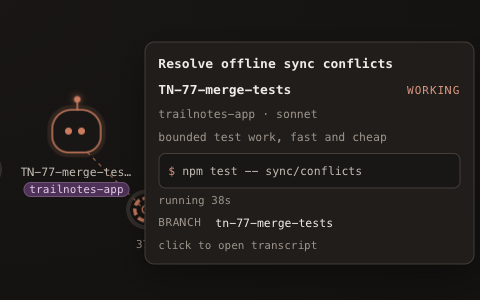
Six of the pieces above, as they actually look on the canvas.
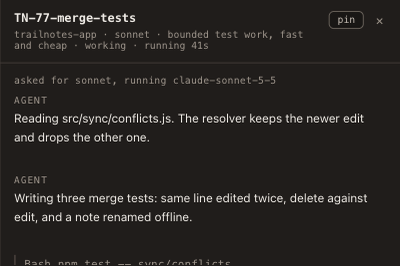
Model selection per dispatch
Named right in the worker's own panel, not hidden in a settings screen.
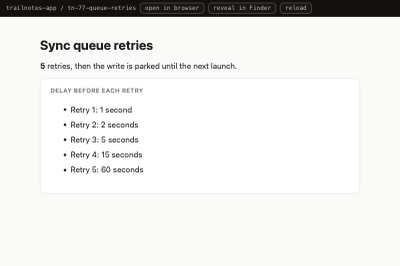
Artifacts, not just diffs
A chart, a page, a small app a worker built, opened right inside the app.
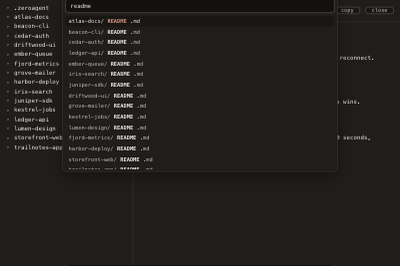
Fuzzy search, every repo
Find any file in any repo without leaving the app.
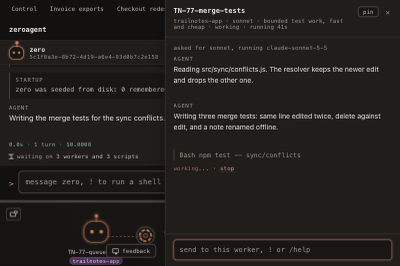
Talk to a running agent
Send a message mid flight instead of killing it and starting over.
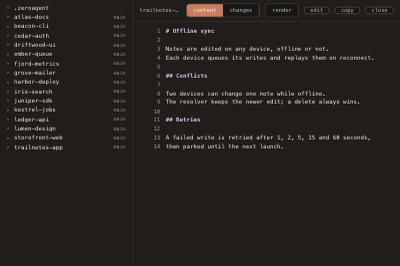
One workspace, many repositories
The same conversation reaches every repository in your projects folder.
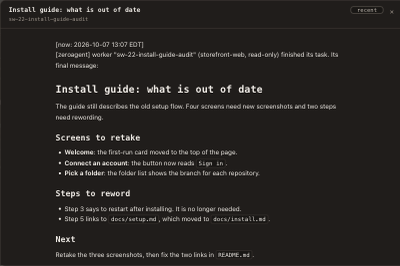
A report, not a wall of text
A worker's writeup renders as a formatted page, right where the work happened.
Watch your workers from your phone
ZeroAgent Premium pairs a native iOS companion with your Mac by scanning a QR code. The phone opens on Control, so the first thing you see is what needs you, what is stuck and what is working across every workbench. It's a viewer and a nudger, not a second orchestrator: glance at the canvas, open a worker's transcript, answer a question it's waiting on, or send it a message from wherever you are. The work still runs on your own Mac; the phone only watches and steers it, with push notifications when Zero Agent needs your attention.
Part of Premium, a monthly subscription. Requires a paired Mac connected to the relay.
Control
How ZeroAgent runs the work
-
Point it at your projects folder
Set the root once in settings. ZeroAgent resolves it sensibly even if you don't, and the file explorer, memory and state all live under that one folder.
-
Describe the work in a sentence
Tell Zero Agent what you want in plain words. Code work gets a workbench of its own; Zero Agent breaks it into tickets and dispatches workers. The app picks an enabled model for each task, using what it has learned about quality and cost.
-
Workers open their own pull requests
A worker's job isn't done at "here's a diff." It follows your workspace conventions through tests, a pull request and a closed ticket, then its worktree is retired.
What ZeroAgent is not
- Not an IDE. Keep your editor.
- Not a terminal with more panes in it.
- Not five agents you have to babysit yourself.
- Not a kanban board.
- Not cloud compute. Workers run on your computer and use your model providers.
Requirements
macOS 14 or later, Apple Silicon or Intel. Prerequisite: ZeroAgent coordinates the work; it drives a coding agent CLI already installed on your computer to do it. Zero Agent itself needs one of Claude Code, Codex or Gemini set up on your computer; you do not need a Claude account if you use Codex or Gemini. Workers can also use open models through OpenRouter with your own key.
Download ZeroAgent
Free, local, and yours to keep. Zero Agent runs on Claude, Codex or Gemini; you need any one of them.
Free for local work on your own computer, with no account. Remote monitoring and the phone companion are Premium, a monthly subscription; cloud workspaces are coming later as Platinum.
Questions
How many coding agents can I run at once?
As many as your computer and your model account can support. The default cap is eight worktrees at a time so a workspace doesn't fill the disk unnoticed; raise it in settings, and a dispatch past the cap is refused with a note on what to reclaim first.
Do I need a Claude account?
No. Zero Agent, the main agent you talk to, runs on Claude, Codex or Gemini, so you need only one of them. Claude needs Claude Code signed in; Codex needs a ChatGPT sign-in or an OpenAI key; Gemini needs the Gemini CLI and a Gemini API key. You choose on first launch and can change it in Settings. With Gemini, ZeroAgent cannot see how full the conversation is, so it starts a fresh session after a set number of turns or hours instead.
Which models can ZeroAgent use?
Claude, Codex, Gemini and open models through OpenRouter. Enable the models you want in Settings, and the app selects from them per task. The main agent you talk to, Zero Agent, runs on Claude, Codex or Gemini, whichever you choose.
Do I need an account or a subscription?
The local app is free and needs no ZeroAgent account. You need your own model provider accounts or keys, and their charges and usage limits apply. Remote monitoring and the phone companion are Premium, a monthly subscription; cloud workspaces are planned as Platinum.
How is this different from running git worktree by hand?
git worktree gives you the isolation. ZeroAgent is what decides when to cut one, keeps it separate from every other worker's, retires it safely once the work has landed, and sweeps up whatever a previous session left behind, automatically, across your whole projects folder rather than one repo at a time.
Does my code leave my computer?
Your files, memory and settings live on your computer. Agents send prompts, code and related context to your chosen model providers. If you enable remote access, the relay also carries worker state, transcripts and messages between your computer and phone.
Is ZeroAgent open source?
Not today. The app itself is closed source. That could change later, but there's no timeline for it yet.